+
What is the difference between Cloud Backup and Cloud Storage?
Cloud Backup includes storage and software for backing up one computer or server. Choose your files and a schedule, and backups run automatically while your device is switched on, connected to the internet and the software is active. Cloud Storage provides online space for a compatible program that you choose and configure yourself. If you do not already use backup software, we recommend Cloud Backup.
+
Are my files backed up automatically?
We do not create an additional backup of the files in your Cloud Storage at a second location. Keep another copy of important files separate from your Cloud Storage. To make regular backups to your Cloud Storage, set them up in your own compatible program. Cloud Storage does not include backup software, whereas our Cloud Backup service does.
+
Where is my data stored?
Your files are stored in a data centre in Germany.
+
Can I choose any storage size?
Choose within the displayed range in 20 GB increments. The configurator shows the corresponding monthly price. There are no fixed plan tiers.
+
Which access methods are available?
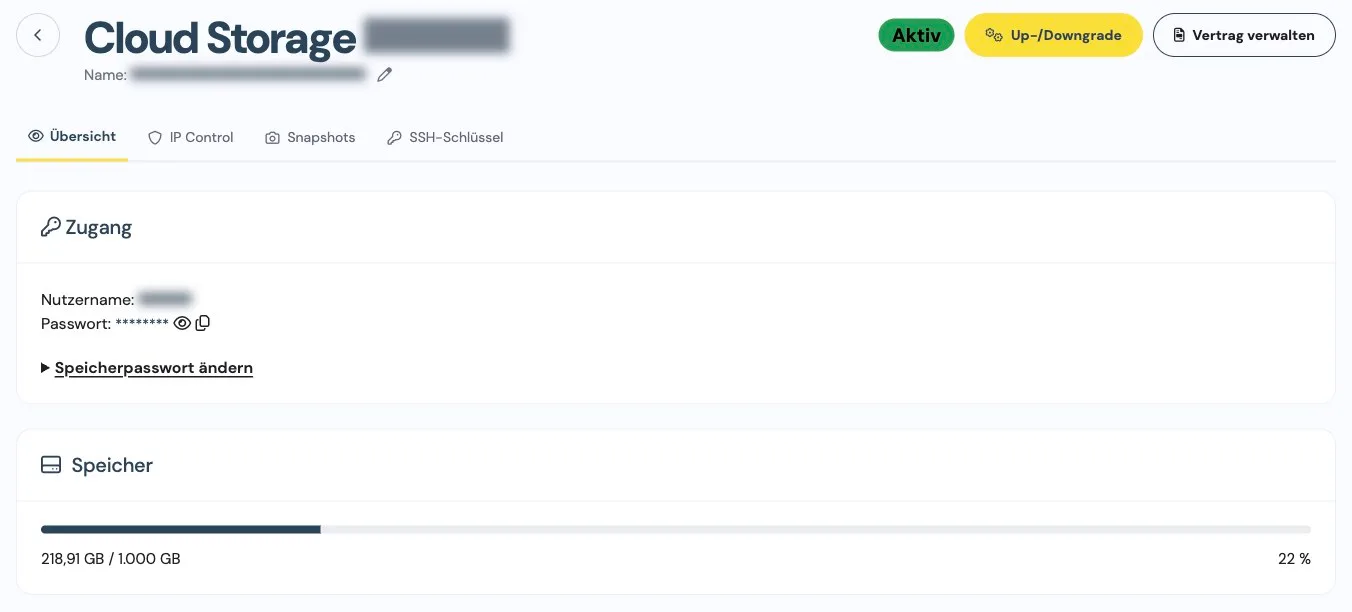
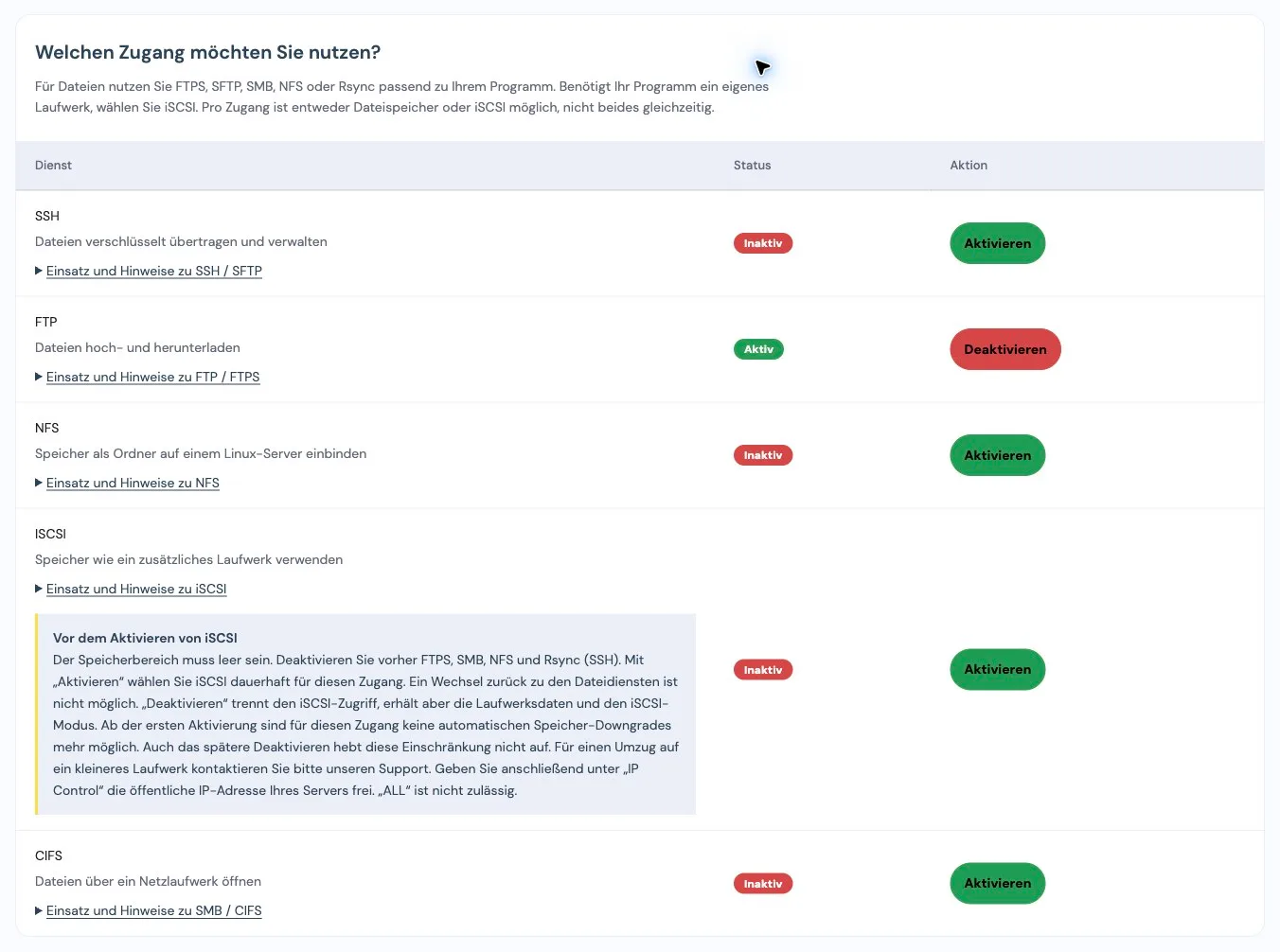
Use FTPS, SFTP, SMB/CIFS, NFS or Rsync for files, depending on your program. Alternatively, connect your storage as an iSCSI drive. Your login details are available in your customer portal. S3 is not supported.
+
Can I restrict access to specific IP addresses?
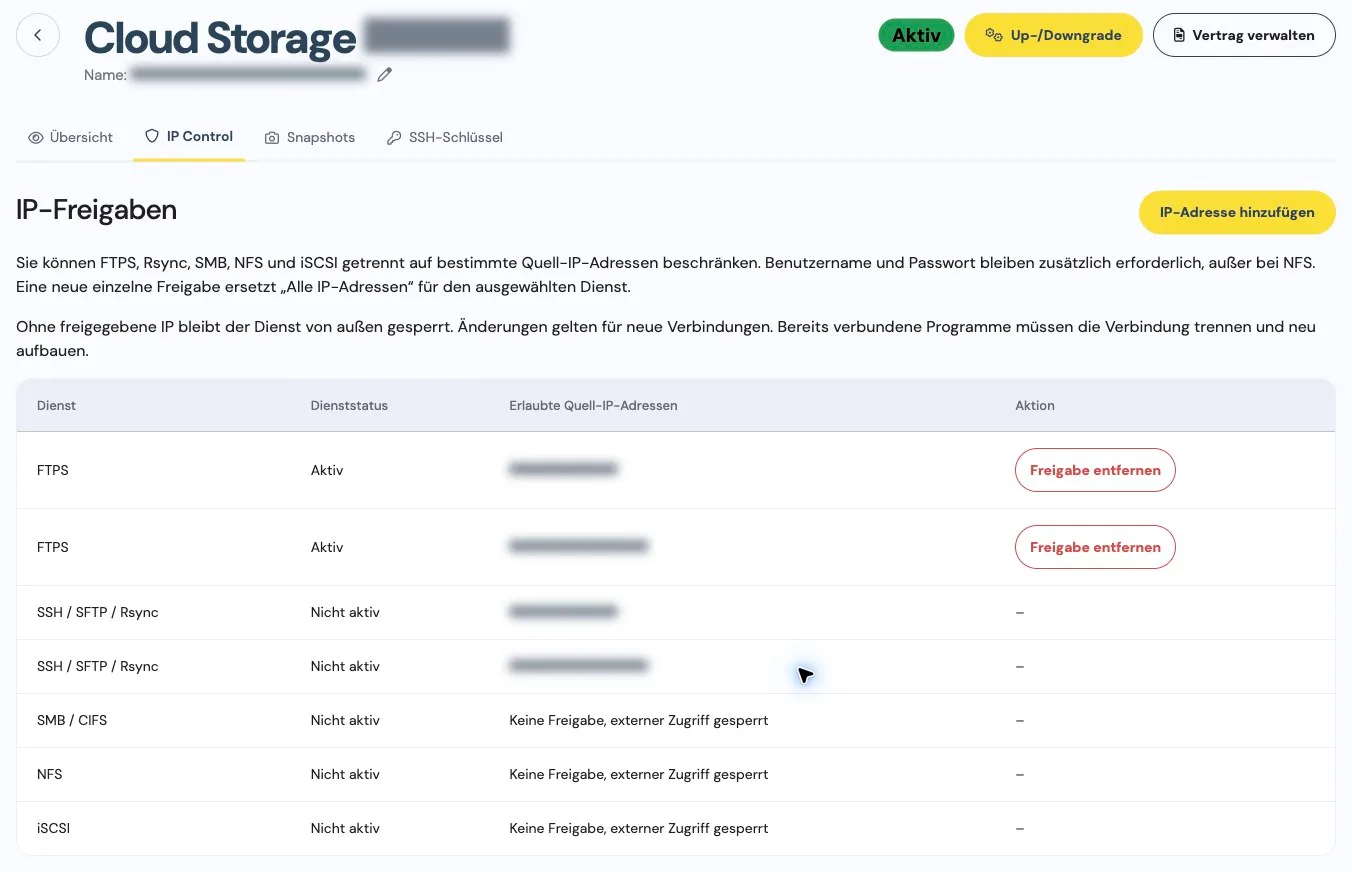
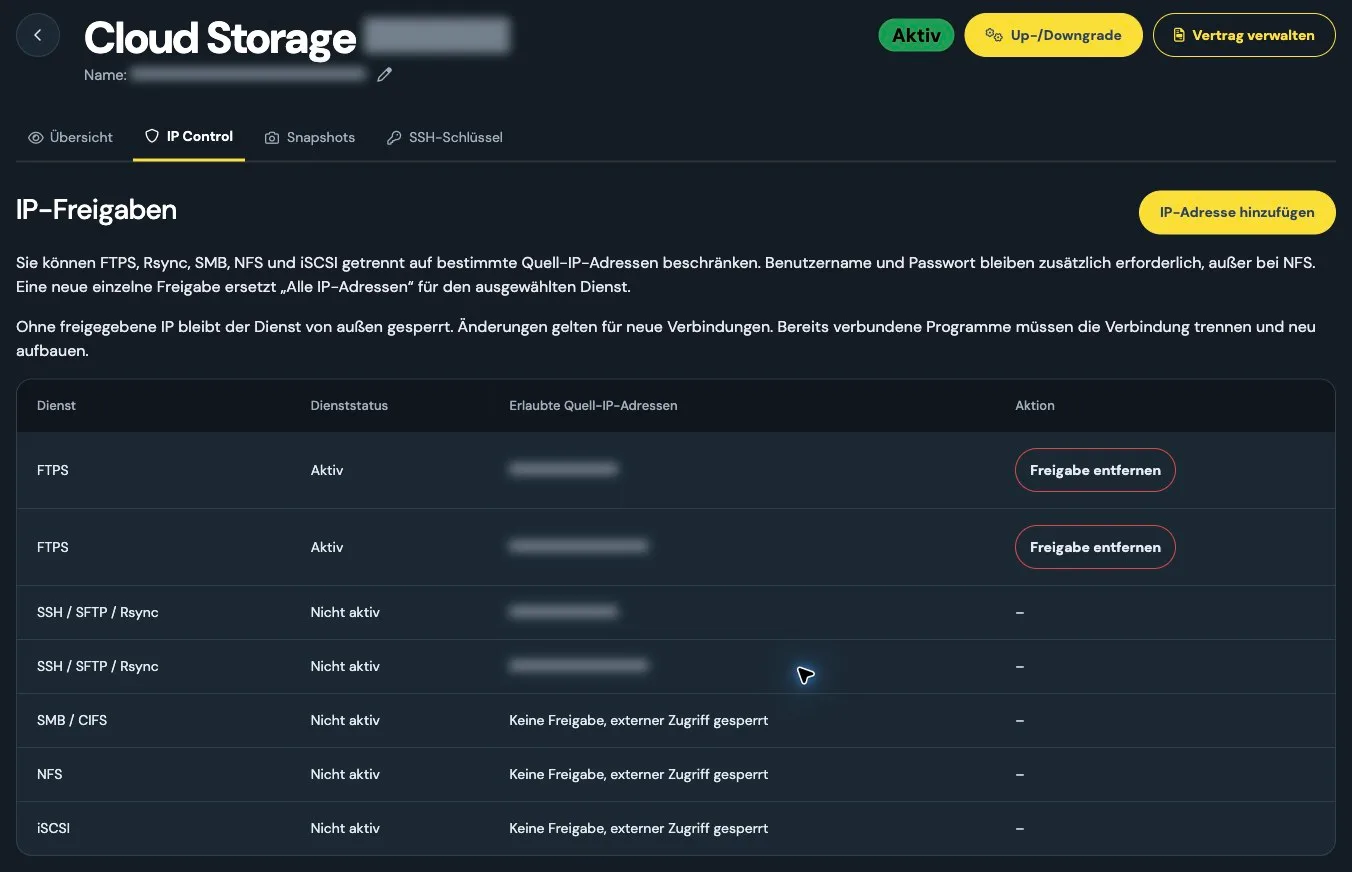
Yes. Under “IP Control” in your customer portal, manage allowed public source IP addresses separately for FTPS, SMB/CIFS, NFS, SSH and iSCSI. The SSH rule applies to SFTP, Rsync and file commands together. NFS and iSCSI require a specific source IP. If the public IP address of your connection or server changes, update the access rule. IP rules also apply when you sign in with an SSH key.
+
Can I use my own SSH key for Rsync?
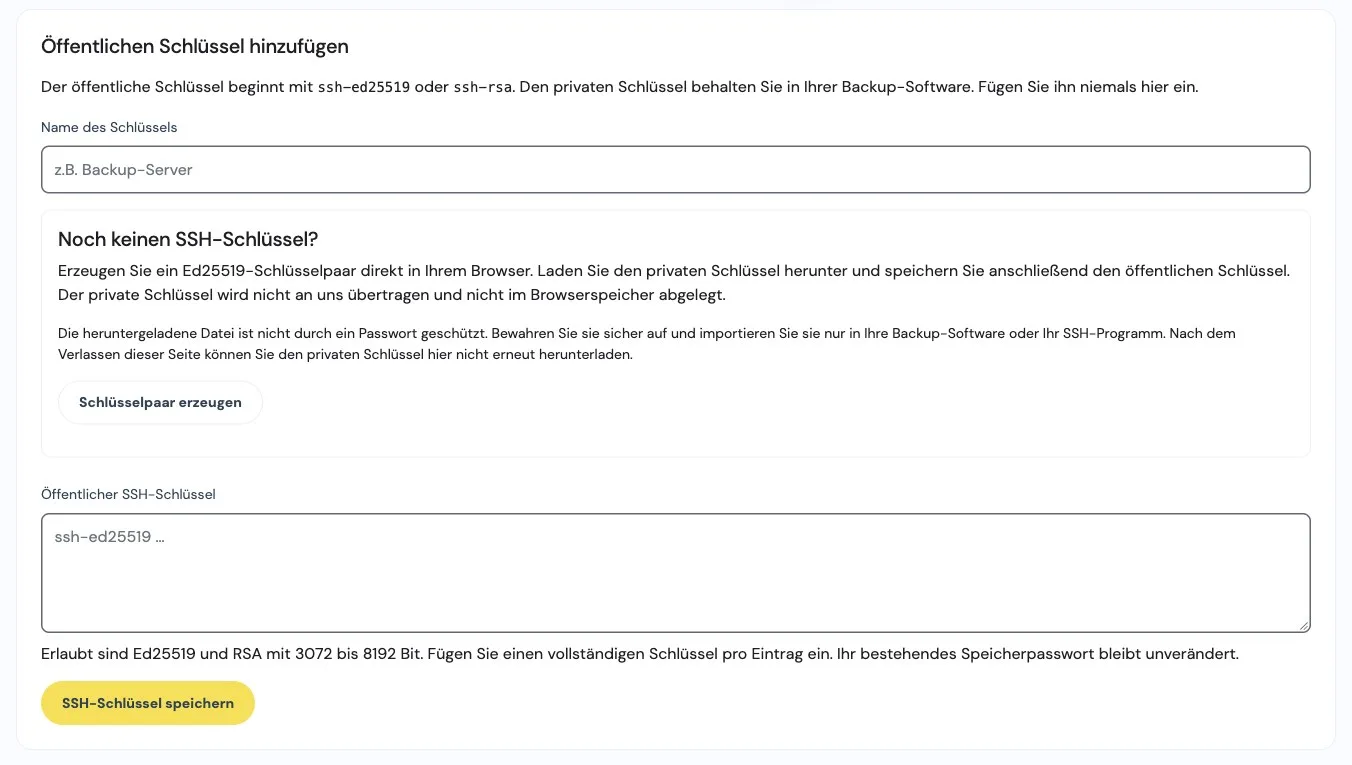
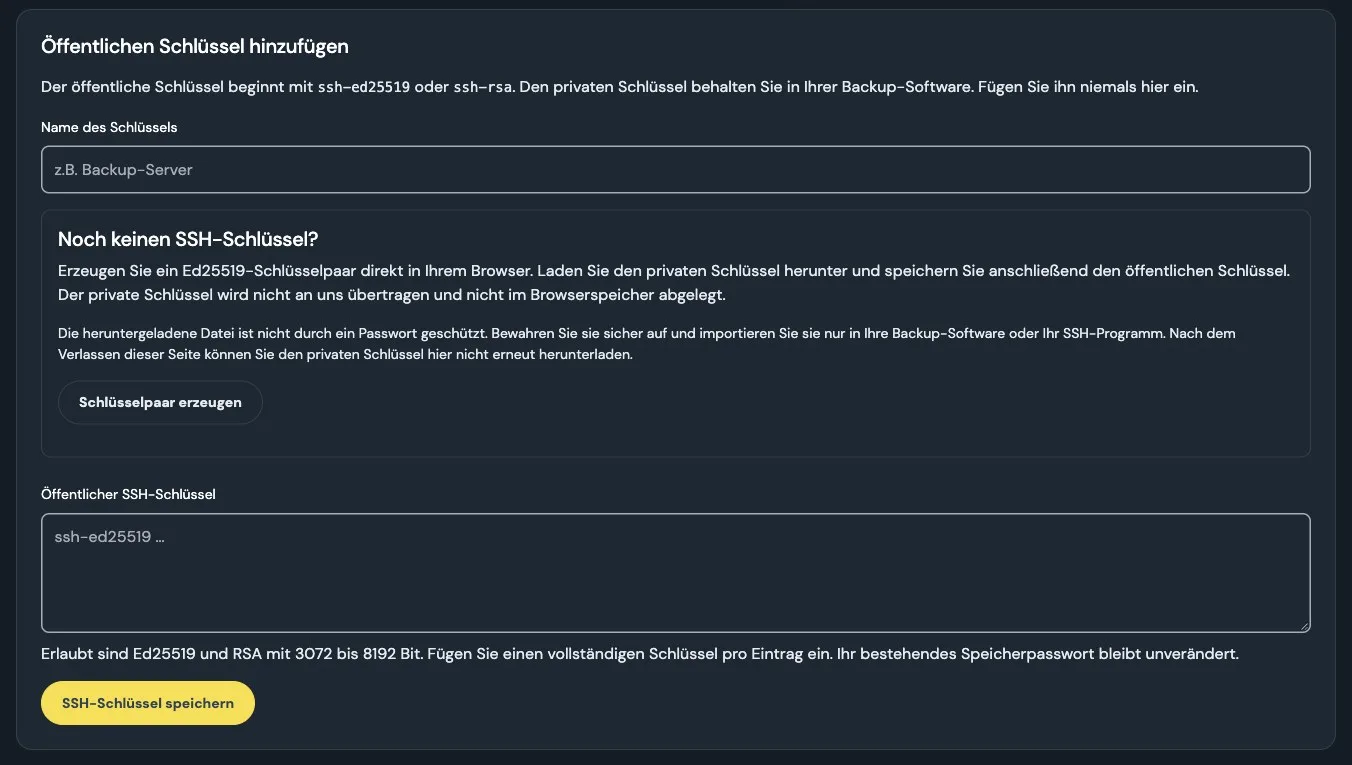
Yes. Add your program’s public key under “SSH keys” in your customer portal. Ed25519 and RSA with 3072 to 8192 bits are supported. Keep the private key on your side. Rsync connects over SSH on port 2222. Your storage password remains valid and you can remove individual keys.
+
Are SFTP and additional SSH file commands available?
Yes. Enable SSH in your customer portal to use SFTP, Rsync and selected file commands on port 2222. You can create folders, move files and calculate checksums, for example. Access is restricted to your own storage area. The command list and connection examples are available in your customer portal. An interactive shell and running your own programs are not available.
+
What is the difference between file storage and iSCSI?
File storage lets you access files and folders through a compatible program. With iSCSI, you instead connect the storage to a server as an additional drive. iSCSI can only be enabled in an empty storage area with all file services disabled. This choice is permanent: the account cannot be switched back to file storage. Disabling iSCSI retains the drive data and the selected storage mode.
+
What are the contract term and notice period?
The contract runs for 1 month and renews for 1 month at a time. Billing is monthly. You can cancel with 7 days’ notice before the end of the term. There is no setup fee.